Oriented Bounding Boxes
Oriented bounding boxes (OBB) are designed for rotated objects such as ships, aircraft, and vehicles in aerial imagery. Instead of only an axis-aligned xyxy envelope, an OBB detection includes its four rotated corners in detections.data["xyxyxyxy"].
This guide uses Ultralytics' boats image and YOLO11-OBB, a model pretrained on the DOTA aerial-object dataset. The model labels boats as ship.

Install dependencies
Run YOLO11-OBB
The detection flow is the same shape as Detect and Annotate: load an image, decode it, run inference, and convert the result to Supervision Detections. Filter to the model's ship class and use a red BoxAnnotator to show the ordinary axis-aligned envelopes.
import supervision as sv

from ml_pipes.core import Pipeline
from ml_pipes.standard import Recall, Select, Store
from ml_pipes.supervision import BoxAnnotator, Detections, ImageToArray
from ml_pipes.ultralytics import yolo
from ml_pipes.vision import Decode, LoadFile

pipeline = Pipeline(
    [
        LoadFile(),
        Decode(),
        ImageToArray(),
        Store("source_image"),
        yolo.Predict(model="yolo11n-obb.pt", imgsz=1024),
        Select(0),
        Detections.FromUltralytics(),
        Detections.Filter(
            lambda detections: detections.data["class_name"] == "ship"
        ),
        Recall("source_image", prepend=True),
        BoxAnnotator(color=sv.Color.RED, thickness=2),
    ],
    auto_validate=True,
)

annotated_image, detections = pipeline("boats.jpg")
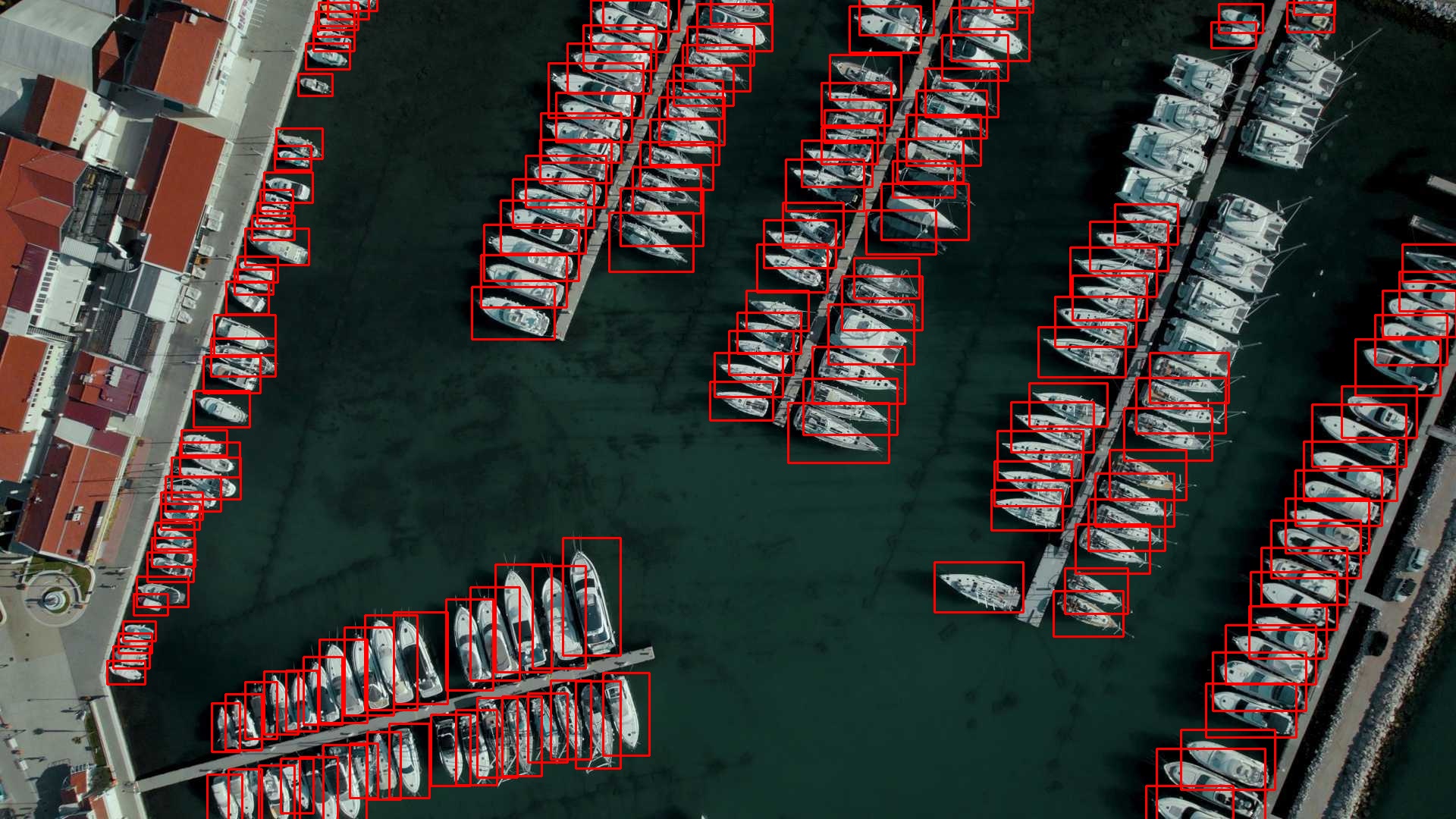
Those red envelopes contain each angled hull, but they include extra background and frequently overlap their neighbours.
Apply OBB-aware NMS
Detections.NMS is OBB-aware: when data["xyxyxyxy"] is available, Supervision compares the rotated quadrilaterals rather than the larger axis-aligned envelopes. This helps prevent nearby, distinct boats from being treated as duplicates.
To make the separate NMS boundary observable, relax Ultralytics' own NMS from its default threshold to 0.9. The model retains more overlapping candidates and Supervision then performs the final deduplication.
pipeline = Pipeline(
    [
        LoadFile(),
        Decode(),
        ImageToArray(),
        Store("source_image"),
        yolo.Predict(model="yolo11n-obb.pt", imgsz=1024, iou=0.9),
        Select(0),
        Detections.FromUltralytics(),
        Detections.Filter(
            lambda detections: detections.data["class_name"] == "ship"
        ),
        Detections.NMS(threshold=0.3),
        Recall("source_image", prepend=True),
        BoxAnnotator(color=sv.Color.RED, thickness=2),
    ],
    auto_validate=True,
)
Inspect the pipeline instead of rendering another image. The printed shapes show the converted model result, the ship filter, and the 17 detections removed by Supervision NMS:
InspectionResult:
  5:DetectionsFromUltralytics          Detections (196, 4)
  6:DetectionsFilter                   Detections (189, 4)
  7:DetectionsNMS                      Detections (172, 4)
The OBB corners remain available on the returned Detections.
Render the OBB corners
Finally, replace the red BoxAnnotator with a green OrientedBoxAnnotator. The model, conversion, filtering, and NMS steps are unchanged.
from ml_pipes.supervision import OrientedBoxAnnotator

pipeline = Pipeline(
    [
        LoadFile(),
        Decode(),
        ImageToArray(),
        Store("source_image"),
        yolo.Predict(model="yolo11n-obb.pt", imgsz=1024, iou=0.9),
        Select(0),
        Detections.FromUltralytics(),
        Detections.Filter(
            lambda detections: detections.data["class_name"] == "ship"
        ),
        Detections.NMS(threshold=0.3),
        Recall("source_image", prepend=True),
        OrientedBoxAnnotator(color=sv.Color.GREEN, thickness=2),
    ],
    auto_validate=True,
)

annotated_image, detections = pipeline("boats.jpg")
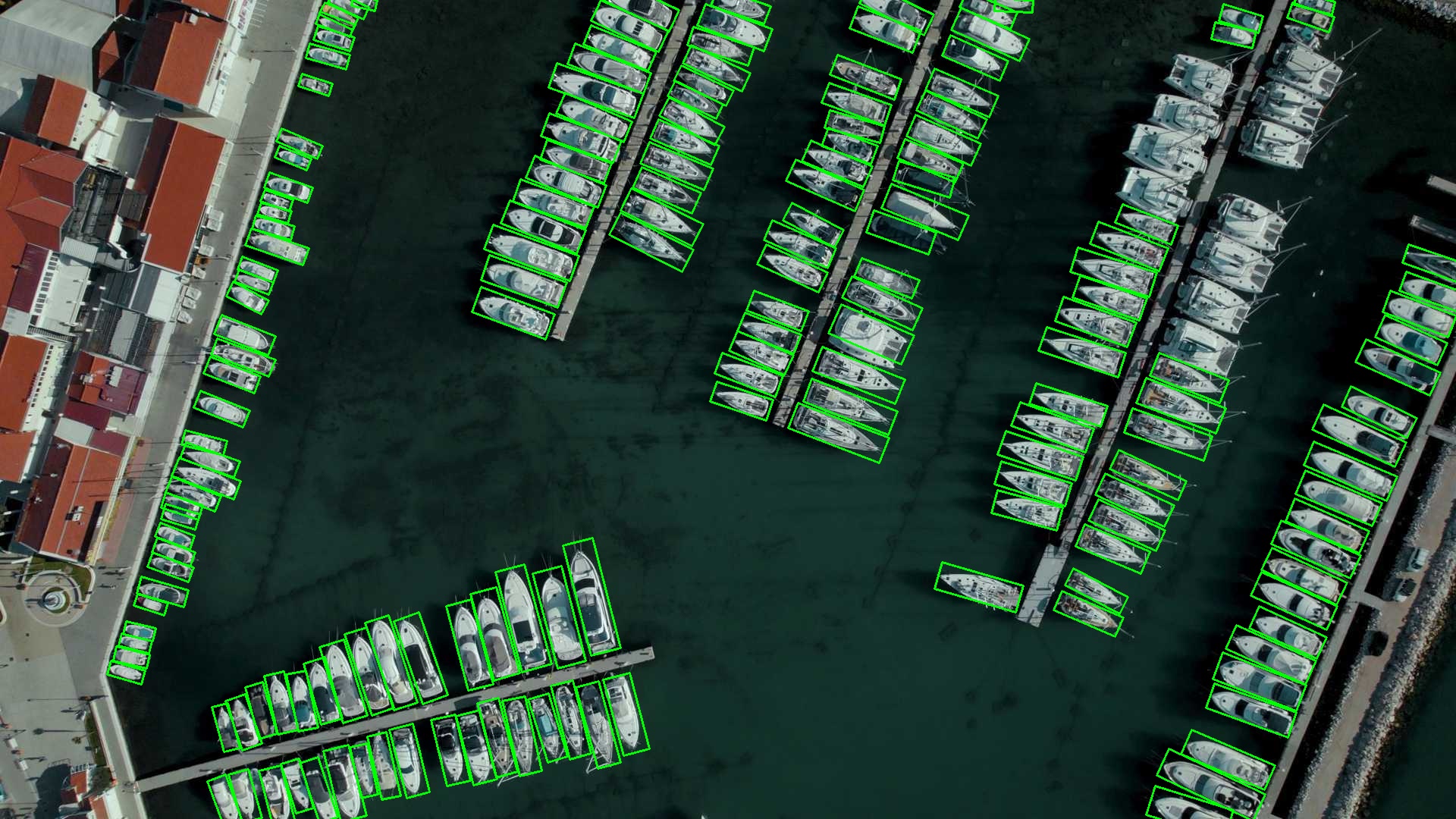
The green quadrilaterals show the tight geometry that NMS uses. The annotator copies the recalled source image before drawing, so it does not mutate the stored image used elsewhere in the pipeline.
Run the example
The runnable example, examples/run_oriented_bounding_boxes.py, contains the final OBB-aware pipeline:
python examples/run_oriented_bounding_boxes.py
python examples/run_oriented_bounding_boxes.py --input path/to/photo.jpg
Use pipeline.validate() and pipeline.describe() to inspect the model-result to Detections conversion and the final annotated (image, detections) tuple.
Inspect the Pipeline
Pipeline.inspect() captures the input and output at each operator boundary,
including the raw Ultralytics result, its conversion to Detections, and the
OBB-aware NMS result. Save the captured run as an interactive HTML report:
from ml_pipes.inspection import PipelineInspector

inspection = pipeline.inspect("boats.jpg")
PipelineInspector().save(inspection, "inspection.html")
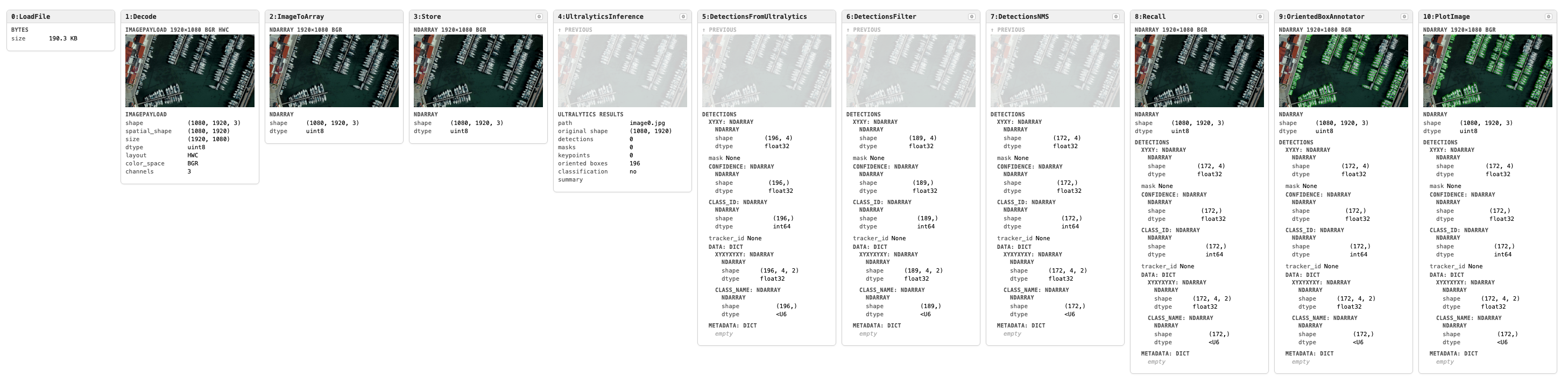
Click the image to open the interactive inspection report.