Detection Heatmaps
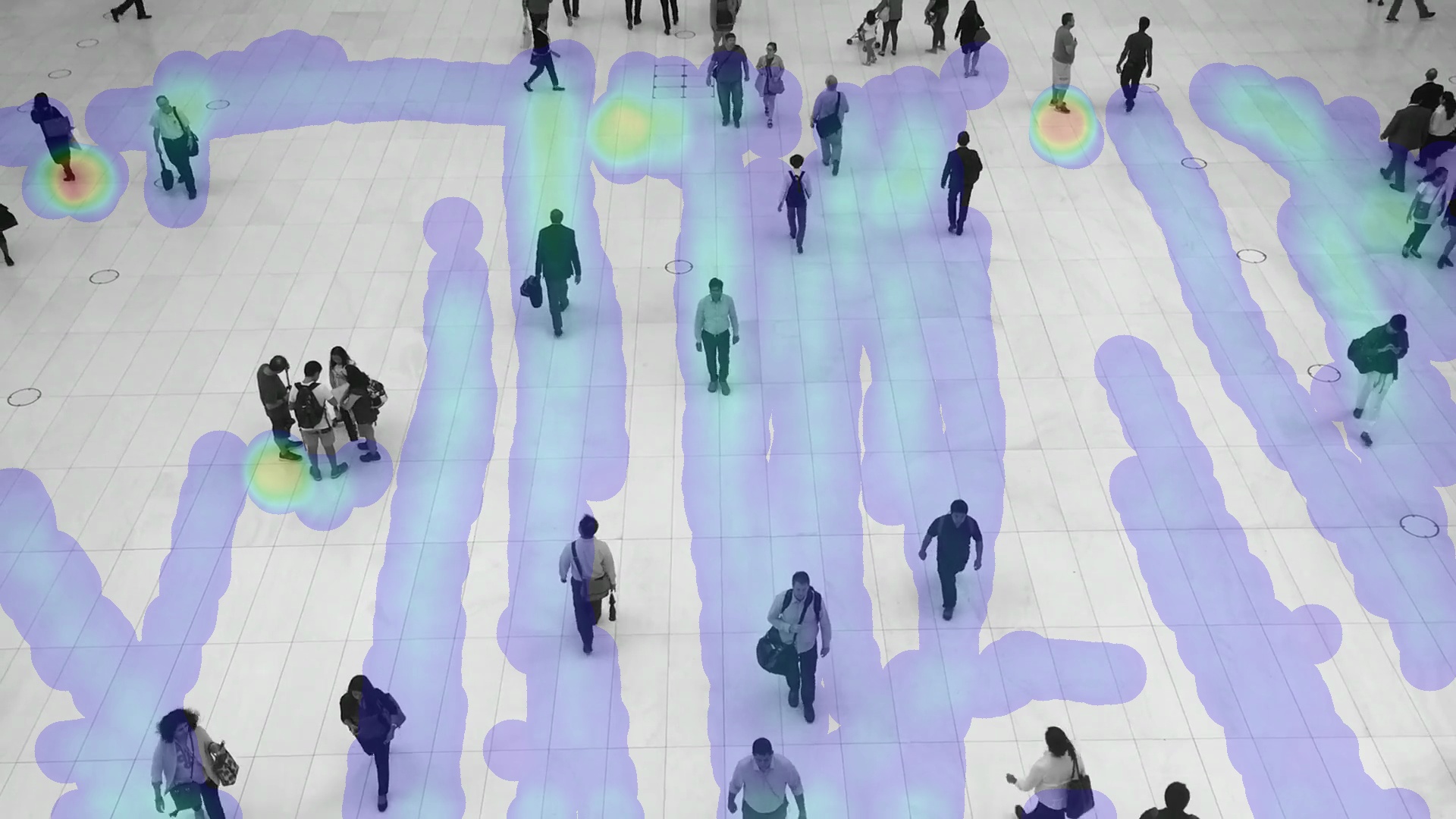
A detection heatmap makes recurring activity visible: it can reveal the busiest parts of a walkway, where customers dwell in a store, or which paths people use most often. This tutorial detects people in a video and accumulates their bottom-center positions into a heatmap.
Download the public video used throughout the tutorial:
from supervision.assets import VideoAssets, download_assets

video_path = download_assets(VideoAssets.PEOPLE_WALKING)
Run Object Detection
RoboflowInference runs a detector on every video frame. Convert its first
result to Supervision Detections; these detections are the input to the
heatmap stage added next.
import supervision as sv

from ml_pipes.core import Pipeline
from ml_pipes.standard import Select, Store
from ml_pipes.supervision import Detections
from ml_pipes.supervision.inference import RoboflowInference

pipeline = Pipeline(
    [
        Store("source_frame"),
        RoboflowInference(model_id="yolov8n-640"),
        Select(0),
        Detections.FromInference(),
    ],
    auto_validate=True,
)
Accumulate a Heatmap
HeatMapAnnotator is stateful: on every frame it adds heat at each detection's
bottom-center anchor, then overlays all accumulated heat on the current image.
It does not require tracker IDs—tracking only becomes useful when you also need
per-person traces or other identity-aware analytics.
Recall restores the source frame so HeatMapAnnotator receives the
(frame, detections) pair it expects. Recreate pipeline with the added
stages highlighted below, and reuse that same instance for the whole video.
from ml_pipes.standard import Recall
from ml_pipes.supervision import HeatMapAnnotator, ImageWindow

pipeline = Pipeline(
    [
        Store("source_frame"),
        RoboflowInference(model_id="yolov8n-640"),
        Select(0),
        Detections.FromInference(),
        Recall("source_frame", prepend=True),
        HeatMapAnnotator(
            position=sv.Position.BOTTOM_CENTER,
            opacity=0.2,
            radius=40,
        ),
        ImageWindow("People Activity Heatmap", at=0),
    ],
    auto_validate=True,
)
Run the Pipeline
Process every frame with the same pipeline instance. HeatMapAnnotator keeps
its accumulated state as the video advances, while ImageWindow shows the
live result. Return the first element—the annotated frame—for each
output-video frame.
sv.process_video(
    source_path=video_path,
    target_path="people-activity-heatmap.mp4",
    callback=lambda frame, _: pipeline(frame)[0],
)
This result comes from 10.2 seconds into the video rather than its first frame, giving the heatmap enough history to show the busiest paths.
The complete runnable version is available at
examples/run_detection_heatmap.py.
Pipeline Inspection
The first video frame produces only a small amount of heat. Warm the pipeline
to a later frame before inspecting it to capture its useful accumulated state.
Pipeline.inspect() records the value at each operator boundary without
changing the pipeline's final output.
from ml_pipes.inspection import PipelineInspector

video_info = sv.VideoInfo.from_video_path(video_path)
frames = iter(sv.get_video_frames_generator(video_path))
for _ in range((video_info.total_frames * 3) // 4):
    pipeline(next(frames))

representative_frame = next(frames)
inspection = pipeline.inspect(representative_frame)
PipelineInspector().save(inspection, "inspection.html")
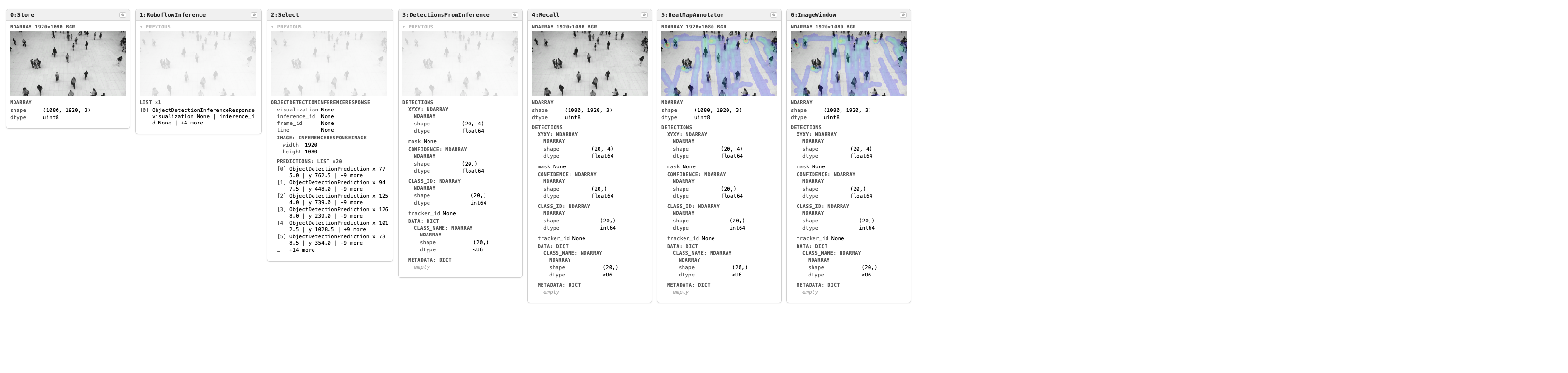
Click the image to open the interactive inspection report.